
See the day. Hear what’s next. Stay on track.
Day2Day is a visual and auditory calendar designed for people who need more support than a traditional calendar provides.
For caregivers, Day2Day makes it easier to create and manage a personalized daily schedule. For the people they support, it makes the day easier to see, hear, understand, and follow.

Help them know what’s happening and what’s next.
When a person doesn’t know what is happening during the day, even ordinary activities can feel confusing or overwhelming.
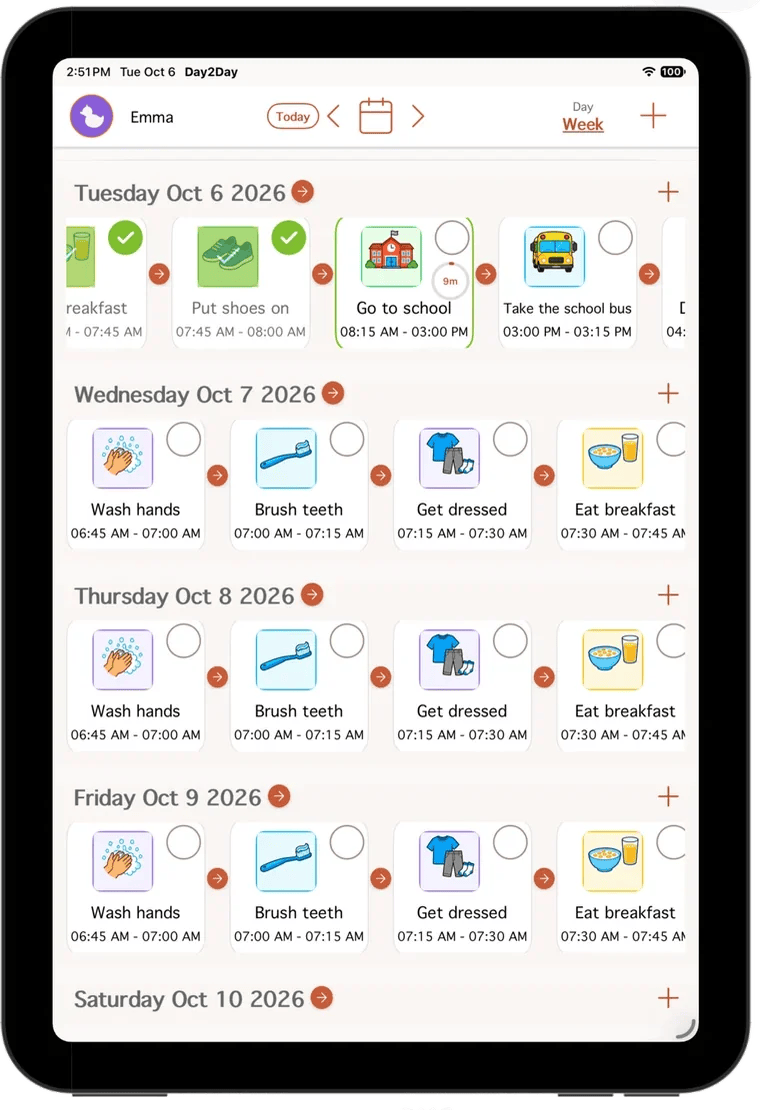
Day2Day gives caregivers a simple way to show the person they support what their day looks like. Activities are presented visually and audibly, with a timer for every event. As activities are completed, they move through the schedule so the person can see what they’ve done and what is still ahead.
For caregivers, that means less time repeatedly explaining what’s happening and more confidence that the person they support understands what to expect.
Try it: a sample morning
Set up the day. Then let Day2Day help guide them.
-
Create their schedule
Create a schedule based on the person’s actual day. Preset activities make getting started easier, and you can personalize the schedule to fit the individual.
 Brush teeth
 Get dressed
 Eat breakfast
 Go to school
 Do homework
 Take a break
 Go to bed
and many more
Go to bed
and many more

-
They see and hear what’s next
The person you support can see their activities and hear them read aloud. Every event includes a timer, helping make time more concrete and predictable.

-
They complete the day one activity at a time
As activities are completed, they move into the completed portion of the schedule. This lets the person see what they’ve already done and what is still ahead.
-
They can work toward rewards
You can assign between 0 and 5 stars to an activity. When the activity is completed, the person earns the stars you assigned. Stars can then be used toward rewards you choose.

A little more predictability for them. A little more peace of mind for you.
Day2Day is designed to support both the person using the calendar and the caregiver managing it.
For caregivers
- Get started more easily with preset activities
- Create a schedule that fits the individual
- Spend less time repeatedly explaining what is happening
- Keep daily support more consistent
- Feel more confident that the person you support understands what to expect

For the person you support
- See what is happening during the day
- Hear activities read aloud
- Know what comes next
- Understand when an activity is finished
- See what they have already accomplished
- Work toward meaningful rewards
Support that fits the way they understand the day.


Visual activities
Use pictures to make activities easier to recognize.
Spoken activities
Day2Day can read activities aloud for additional auditory support.
Timer for every activity
Every event includes a timer.
Daily and weekly views
See the schedule at the level of detail that works best for the person.

Preset activities
Get started with common activities instead of creating everything from scratch.
Repeating activities
Set activities to repeat as needed.
Completed activities
See what has already been completed and what remains.
Stars and rewards
Assign stars to activities and choose meaningful rewards.
View-Only mode
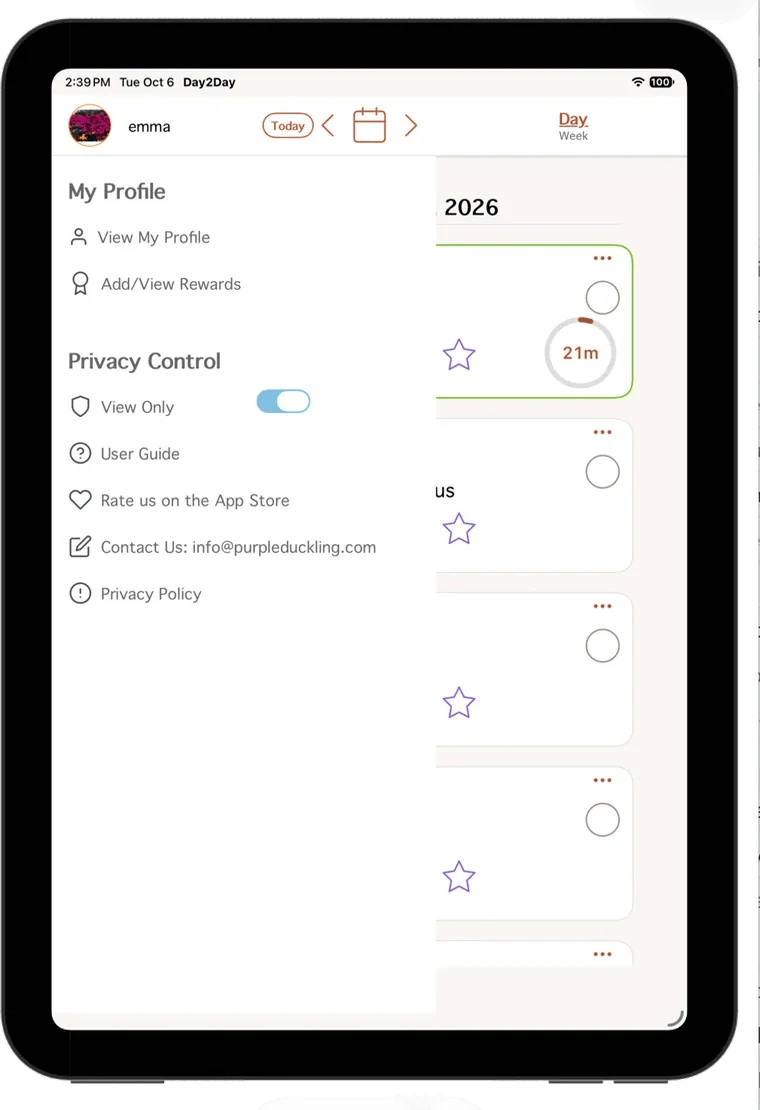
Control whether the person using the calendar can make changes to the schedule.


Personalized support
Adapt the schedule to the individual person’s needs.

Ready to set up their day?
Day2Day Calendar is available on the App Store for iPhone and iPad.
Two Day2Day apps. Two different kinds of support.
What is happening?
Help them understand and follow their day.
A visual and auditory calendar that helps the person you support see what is happening, know what comes next, and keep track of completed activities.
- Brush teeth
- Go to school
 Eat lunch
- Do homework
How do I do it?
Help them learn to do it themselves.
A step-by-step routine app designed to help people learn everyday activities and build greater independence.
 Step 1
 Step 2
 Step 3
 Step 4
Why we built Day2Day
During COVID, my son’s school closed, and when it reopened, school was virtual. At school, his day was shown on a laminated schedule with Velcro. It showed activities such as speech, adaptive gym, class, and lunch. When an activity was finished, it moved into a completed row. He could also earn stars that could be exchanged for rewards such as a break, watching a show, jumping on the trampoline, or having a snack.
At home, I didn’t have that same kind of support, and it was difficult to explain what his day would look like.
At the time, I couldn’t find an app that gave us the combination of a calendar, pictures, and rewards that I was looking for.
I talked with my sister Caroline, who works in technology, and she suggested that we build it ourselves.
We tested several versions before launching, getting feedback on everything from the size of the icons to the flow of the app. The first version we launched was already very similar to the Day2Day experience today, and we have kept improving it since, most recently with a major update.
What I hope Day2Day does is simple: make daily life easier for both the person using it and the caregiver supporting them, and provide a little more security in knowing what is happening and what comes next.
And we’re not stopping there. We want to keep building apps that make everyday life a little easier, starting with our next one, Day2Day Independence, which helps people learn everyday activities one step at a time.
EmmaCofounder, Purple Duckling
An illustration of the idea, not the original schedule.